
ISPF Filter Search for Datasets
The Filter Search for Datasets feature in ISPF allows users to search for datasets on the mainframe using patterns or filters.
By applying wildcards like * and %, users can retrieve a list of datasets that match specific naming conventions or high-level qualifiers (HLQs).
Navigation - Option 3.4 (Data Set List Utility) from ISPF Primary Option Menu (ISPF Home Menu).
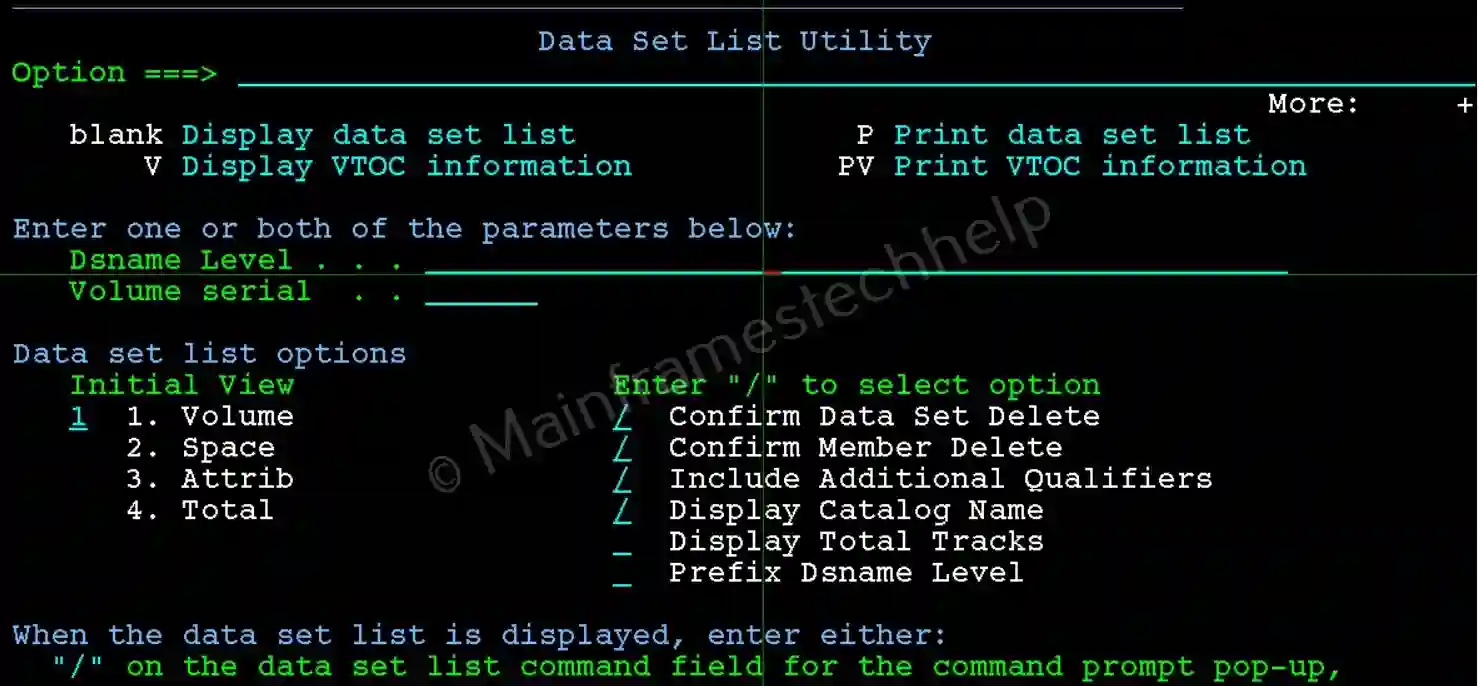
Key Features -
- Wildcard Support: Use wildcards like:
- * - to match multiple characters. e.g.,
MATEPK.* - % - to match single character. e.g.,
MATEPK.COBOL.NEWPS%
- * - to match multiple characters. e.g.,
- Search by High-Level Qualifier (HLQ): Filter datasets based on their HLQ to narrow down results. e.g., MATEPK.* lists all datasets starting with MATEPK.
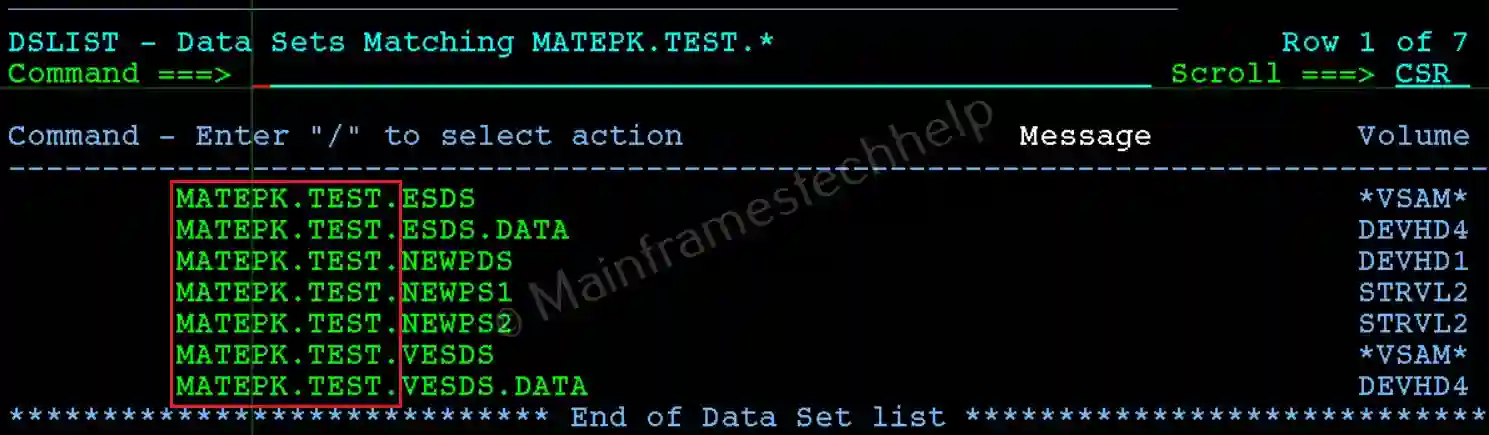
- Refined Searches: Combine multiple wildcards to refine the search criteria. e.g., MATEPK.TEST.* lists all datasets under MATEPK.TEST.
Steps to Filter Search with * -
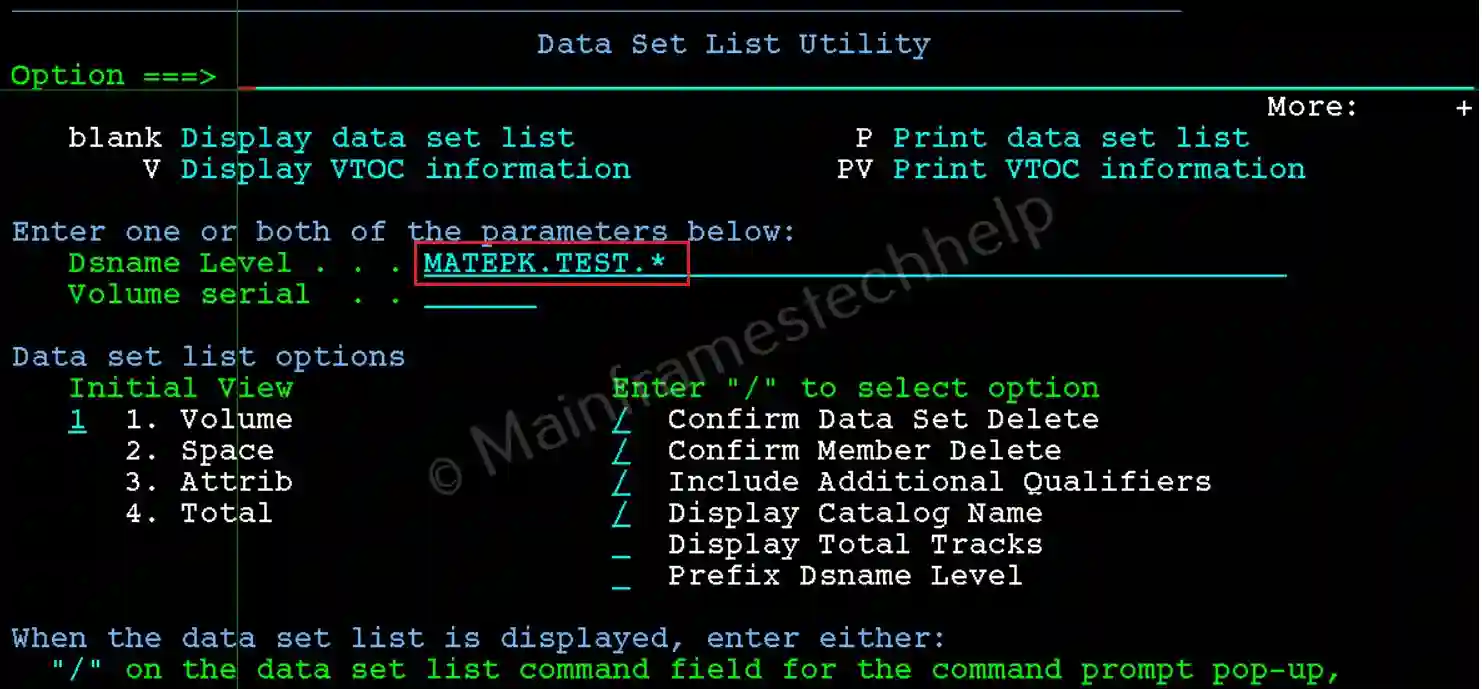
Step-1: From the Data Set List Utility panel, enter the MATEPK.TEST.* in the Dsname Level field. Press Enter.
Step-2: It lists all datasets starting with MATEPK.TEST.* like below -
Steps to Filter Search with % -
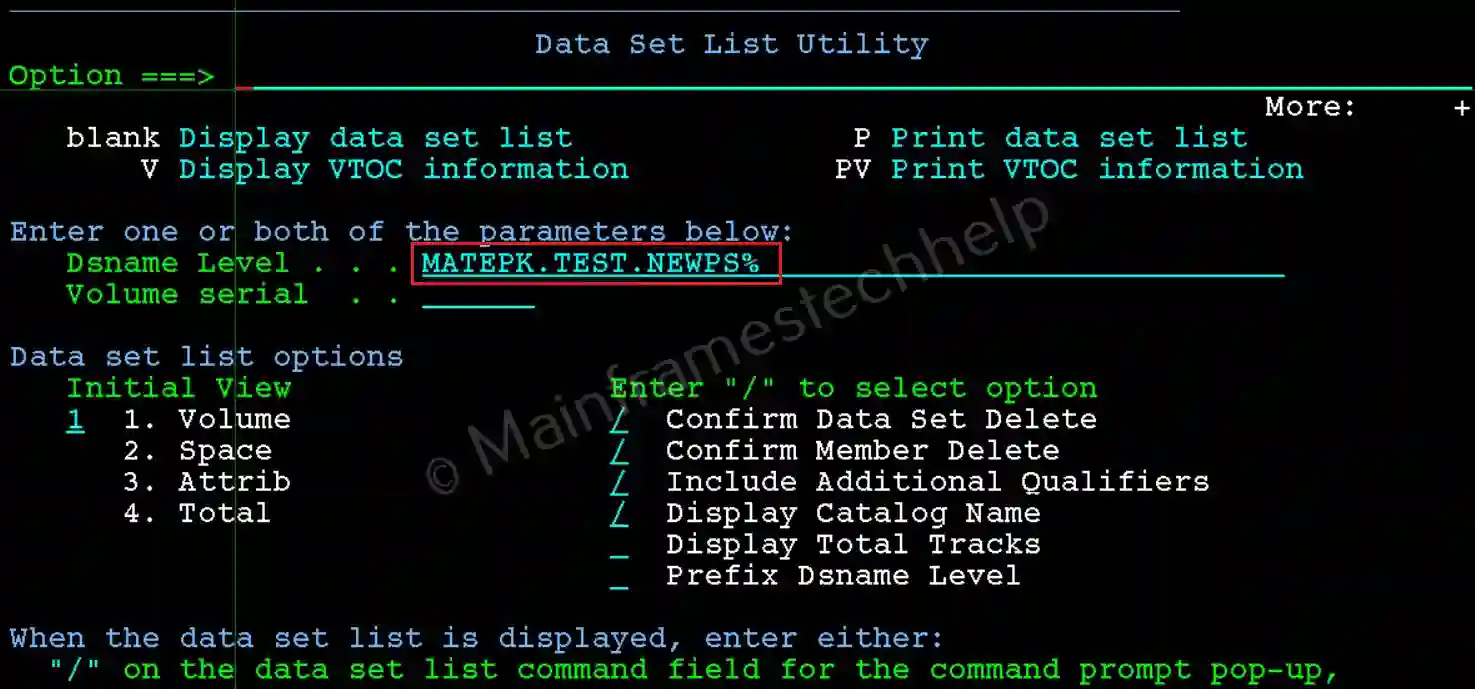
Step-1: From the Data Set List Utility panel, enter the MATEPK.TEST.NEWPS% in the Dsname Level field. Press Enter.
Step-2: It lists all datasets starting with MATEPK.TEST.NEWPS% like below -
